
Windows Server 2012
Step 1: Use RDP to connect to your server
Find more information in this guide.
Step 2: Open your server’s network configuration
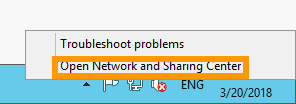
First, right-click on the network icon in the notification area to go to the Network and Sharing Center and right Click
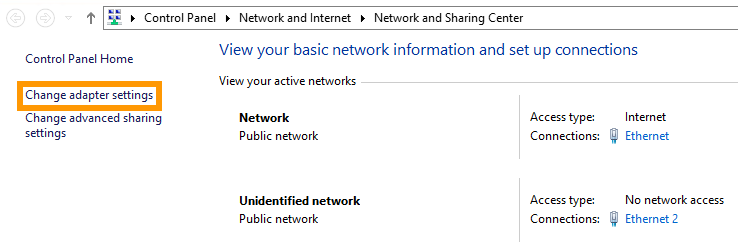
Now we change the Click Change adapter settings.
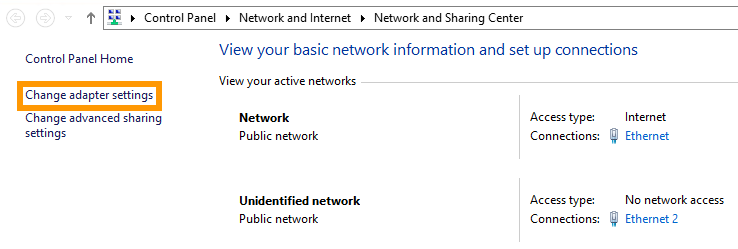
Right-click your network adapter, then click Properties.
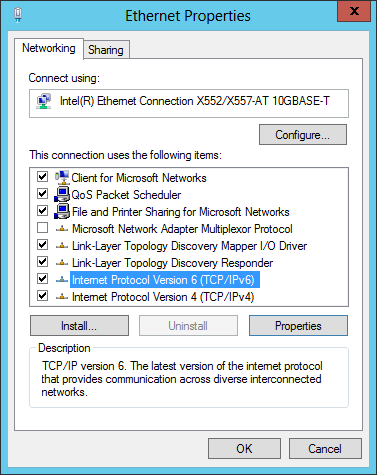
Select Internet Protocol Version 6, then click Properties.
Step 3: Change the network configuration
Enter your IPv6 configuration (IPv6 address and Default Gateway) and click OK.
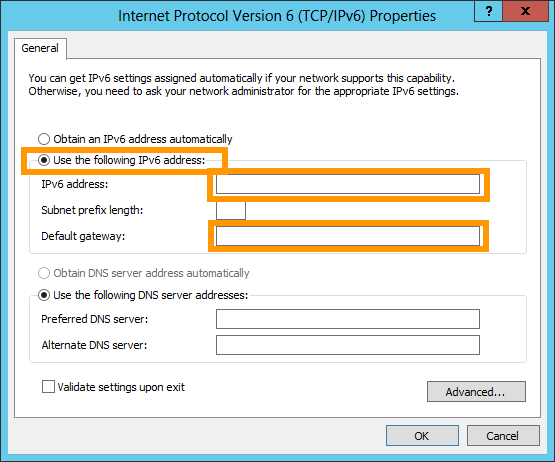
and Also add The DNS server Here You can Google ipv6 DNS
2001:4860:4860::8888
2001:4860:4860::8844
Thanks